SpendAssure
How SpendAssure works
SpendAssure reads the invoices, console exports and contracts you already have and turns them into a register of AI spending, a forecast and a list of decisions with owners. Every screen on this page comes from the demo workspace, filled with sample data for a fictional bank with 1,500 staff.
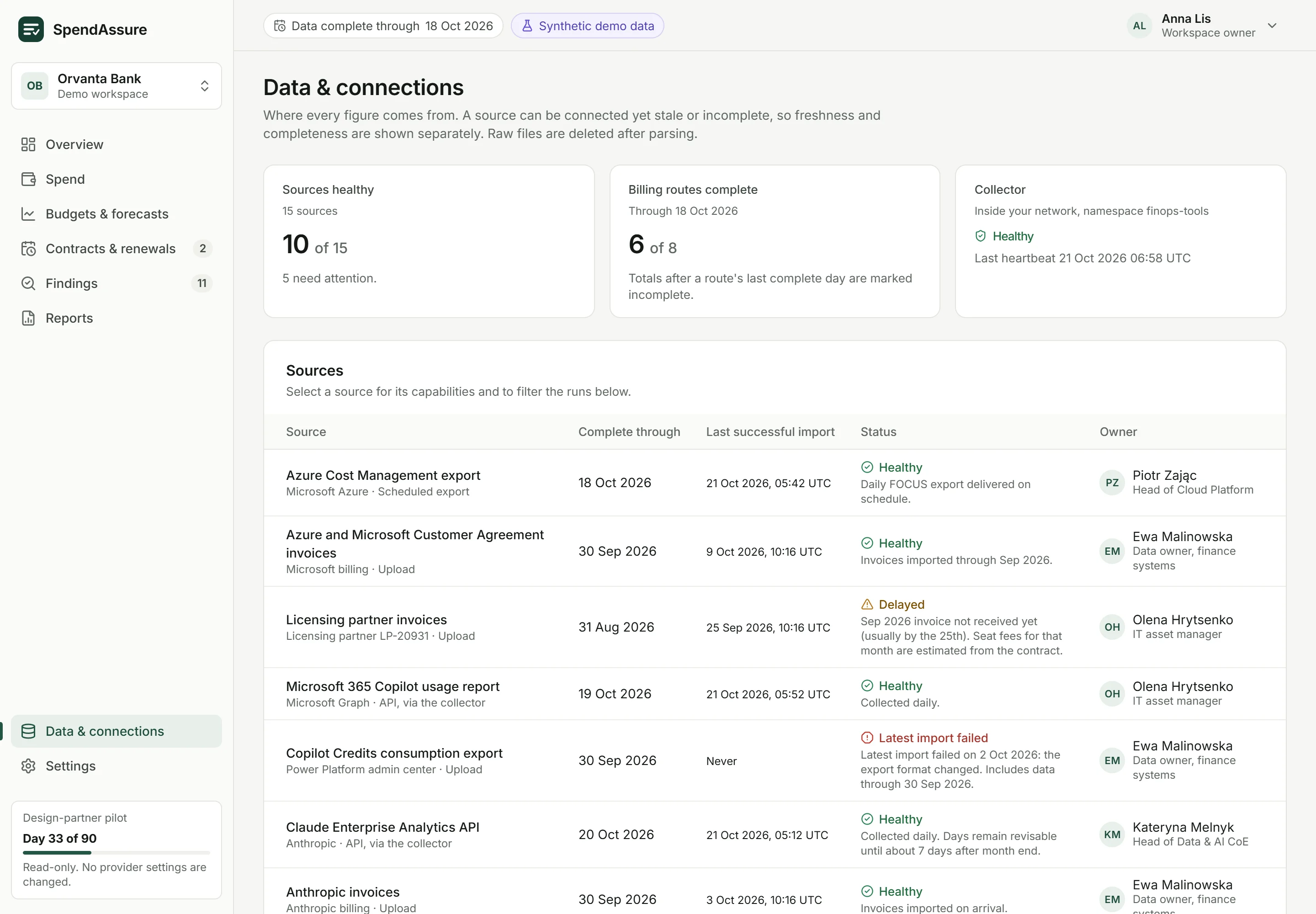
Where the data comes from
SpendAssure starts from what your organisation already has: invoices from AI vendors, usage and billing exports from provider consoles, and contracts, order forms and price sheets. No new integrations are needed to begin. If you want budget alerts, a connector inside your network reads provider APIs in read-only mode.
- Freshness and completeness shown separately for every source
- A late or failed import is flagged and keeps its record
- Totals after a source's last complete day are marked incomplete
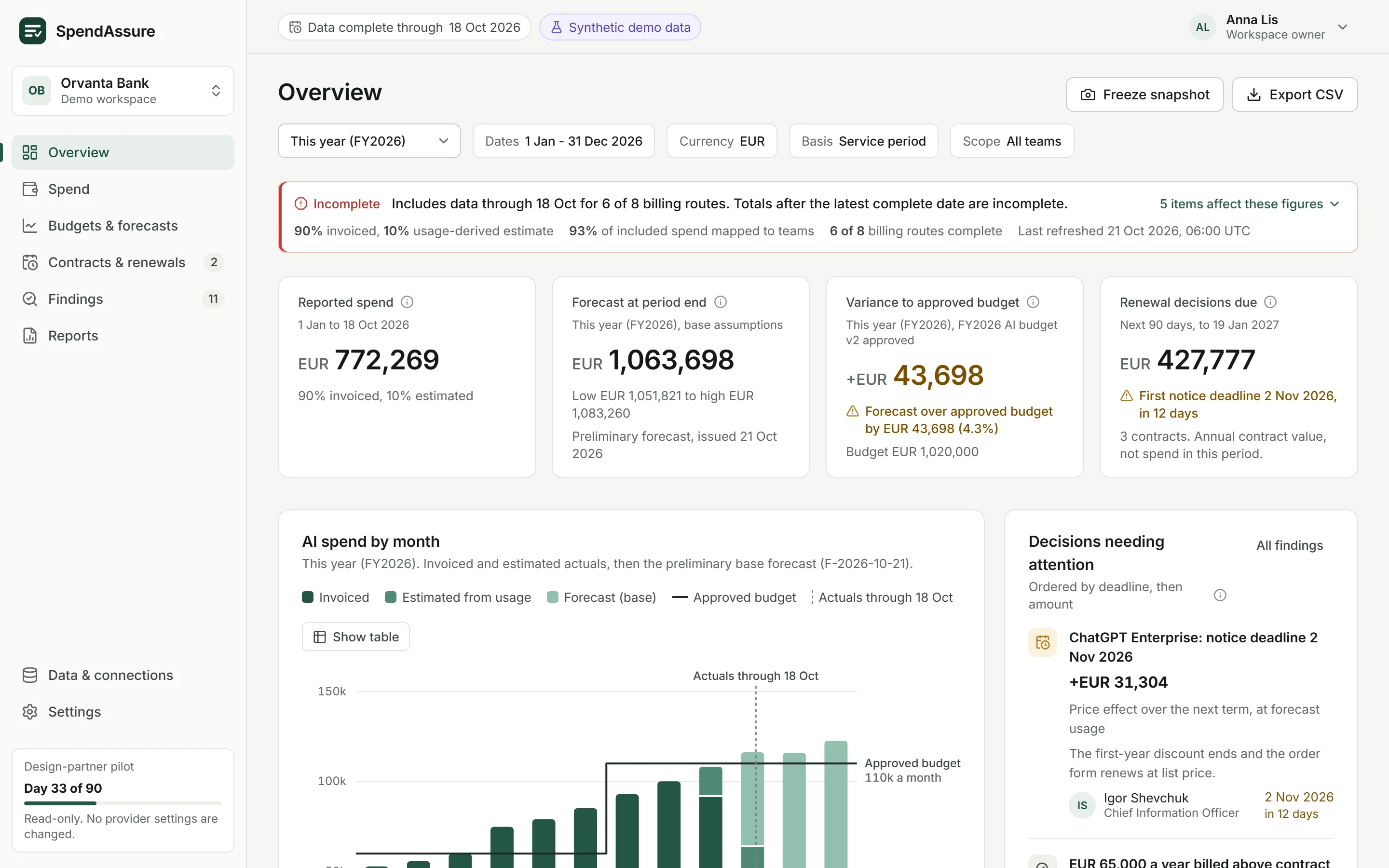
Overview
The overview states its scope before any total: period, currency, date basis and teams, then how complete the data is. Four figures follow: reported spend, the forecast at period end, the variance to the approved budget and the contract value with a decision due.
- Completeness stated before the totals
- Decisions needing attention, ordered by deadline and amount
- Spend by billing route, vendor or team
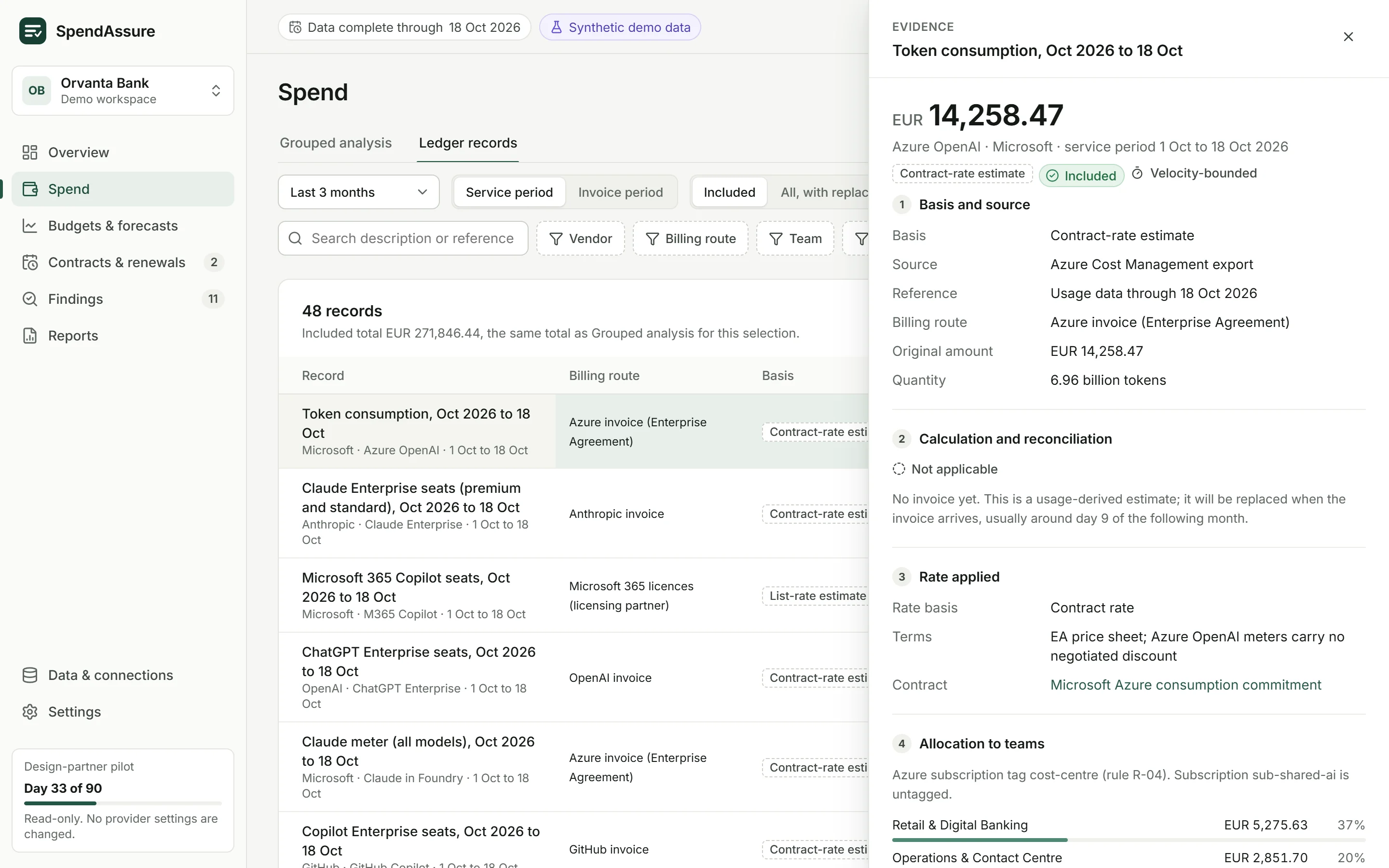
Spend and the ledger
Group spend by vendor, product, team or billing route, by month or week, and by service period or invoice period. Every record opens its evidence: the source, the rate applied, the currency conversion and the rule that allocated it to teams.
- Invoiced amounts and usage-based estimates kept apart
- Unallocated spend stays in the total, never spread across teams
- Groups of fewer than five people are not shown separately
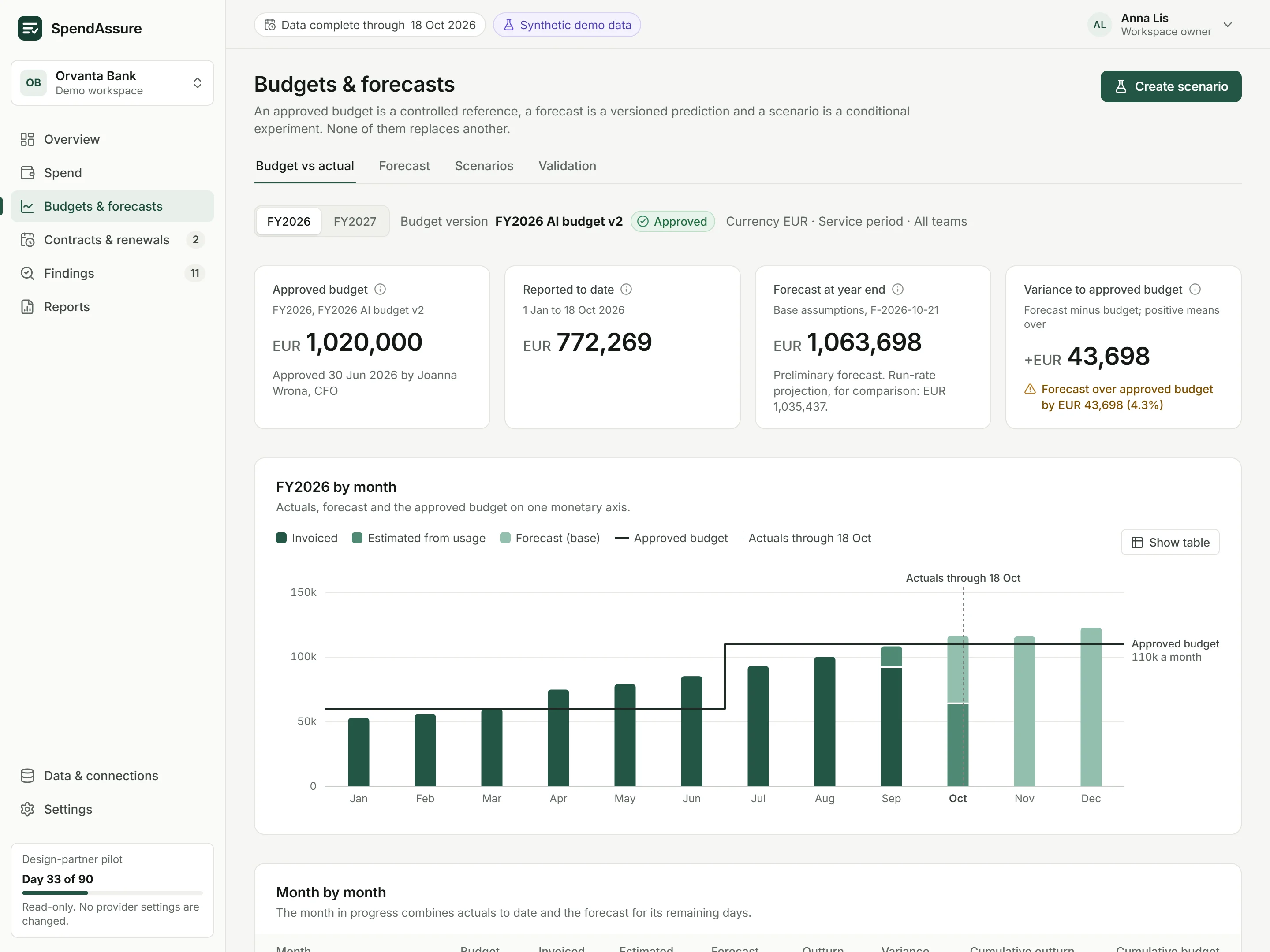
Budgets and forecasts
The approved budget, the forecast and scenarios are kept as separate things. The forecast is versioned and lists its assumptions: usage trend, seats as contracted, contract or list rates, known renewal changes and the planning exchange rate.
- Low, base and high assumption sets, not presented as a confidence interval
- Scenarios for a renewal, a seat reduction, a price rise or an outage
- Forecast error measured on the organisation's own history before it is quoted
Contracts and renewals
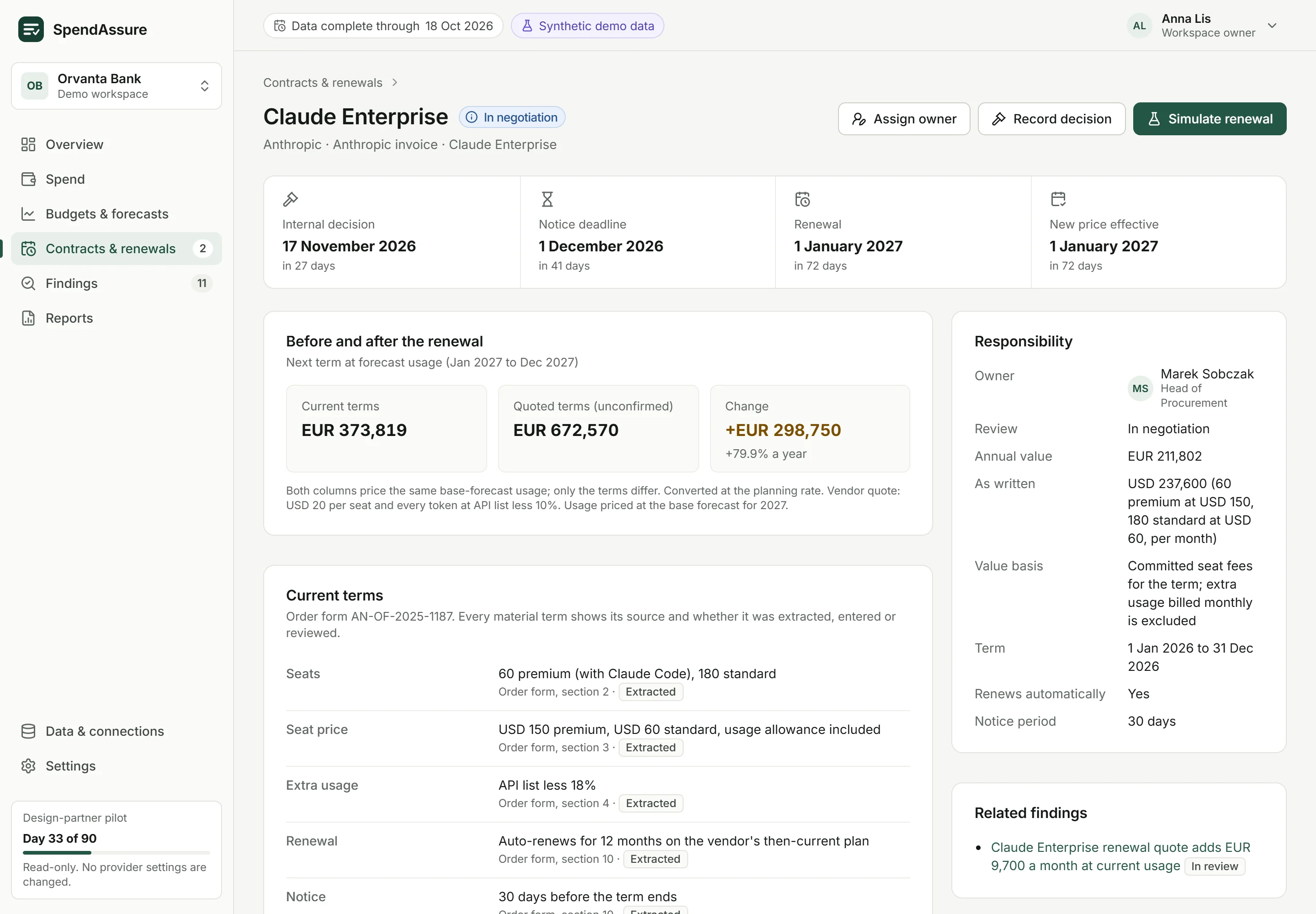
Each contract shows the dates that matter: the internal decision date, the notice deadline, the renewal date and when a new price takes effect. Every term shows where it came from in the contract and whether it was extracted, entered or reviewed.
- Cost before and after the renewal at forecast usage
- Unconfirmed vendor quotes labelled as such
- Recording a decision changes an internal record only; the vendor is not contacted
Findings and savings
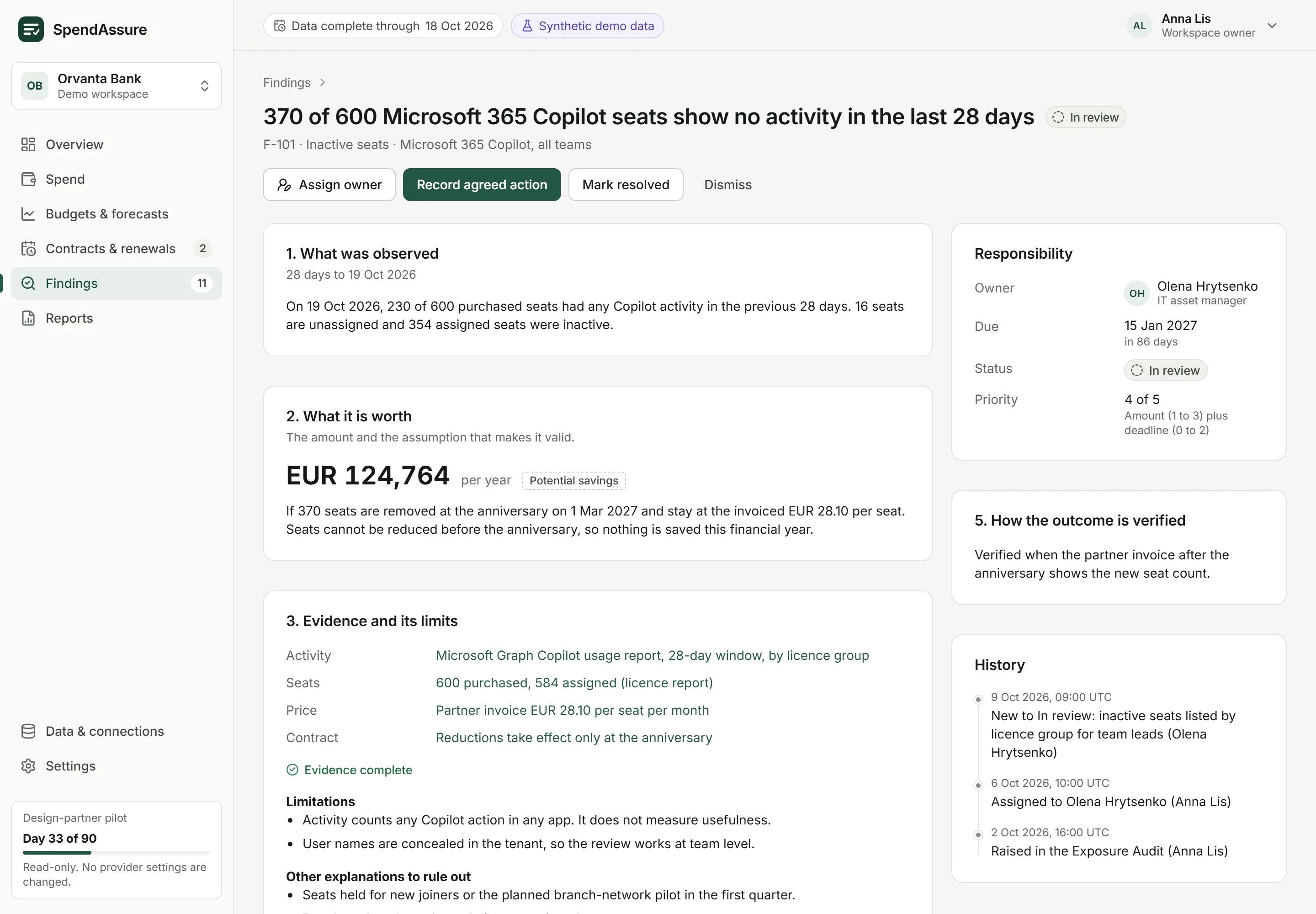
A finding is a reviewable claim in five parts: what was observed, what it is worth and on what assumption, the evidence and its limits, who decides by when, and how the outcome will be verified.
- Potential savings, amounts billed above contract and exposure reported separately
- A saving counts as verified only when later invoices confirm it
- Every change of owner and status kept in the history
Reports
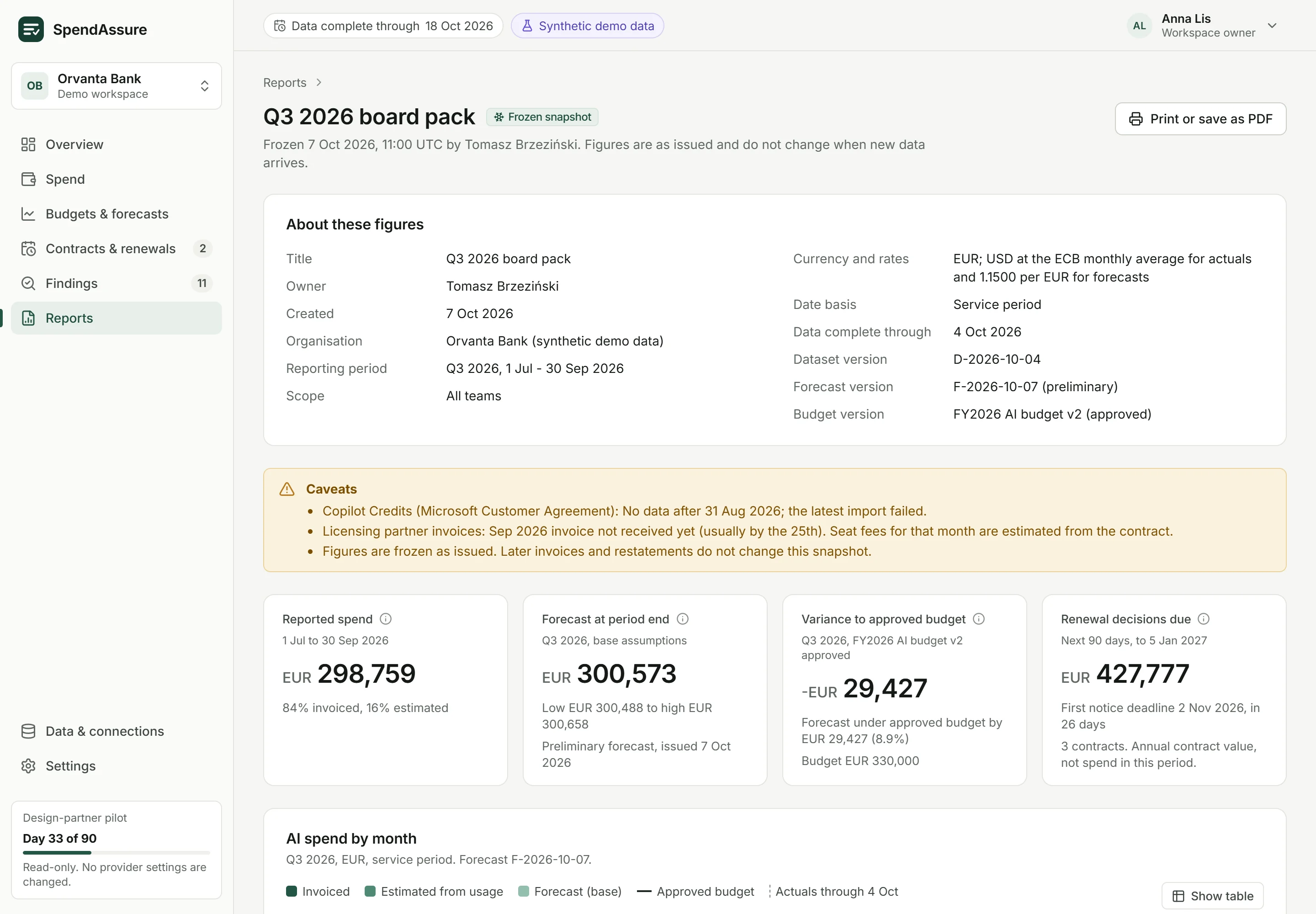
A saved view shows current data each time it is opened. A snapshot freezes the figures for a meeting or a decision, together with the data cutoff, the forecast and budget versions and the caveats that applied. Snapshots print cleanly or save as PDF.
- Board packs that do not change after the meeting
- CSV exports with exact values
- Caveats travel with the figures
How spend is bounded
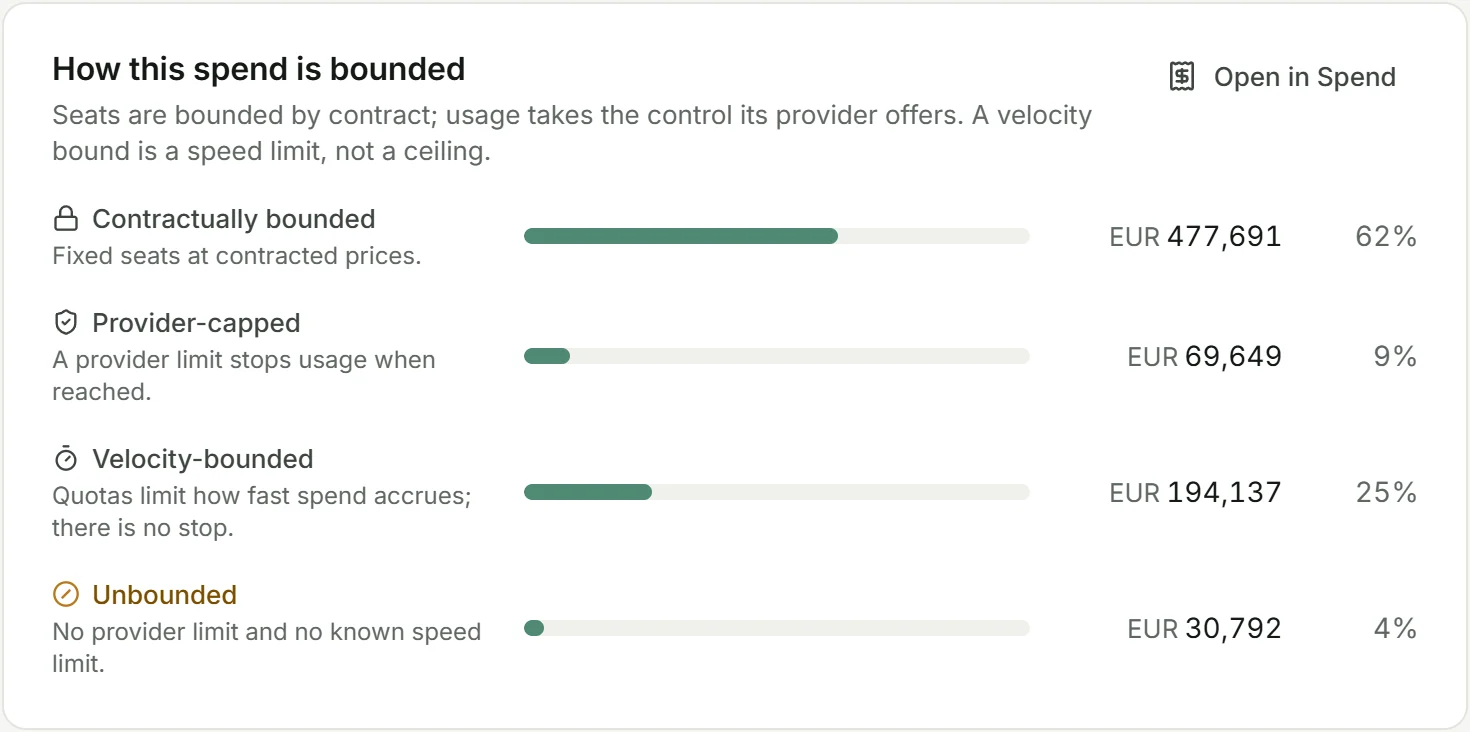
The overview also shows which spending has a limit behind it, in four classes: contractually bounded, provider-capped, velocity-bounded and unbounded. SpendAssure reads these limits; it does not change them at the provider.
- Seats bounded by contract, usage by the control its provider offers
- A velocity bound is a speed limit, not a ceiling
- No class is presented as a guaranteed maximum invoice
We would be glad to show you a demo
We walk you through the workspace on sample data and discuss what a pilot with your own invoices, exports and contracts would look like.